FAQs
If I purchase Mango Baby Premium, does my partner also need to purchase to share the baby profile?
No - one Premium purchase is all you need. You can share your baby profile with anyone, including partners, grandparents, or caregivers, even if they don't have Premium or aren't in your family group.
How can I customize the Siri phrases like "Mango Baby Log Diaper"?
You can create custom shortcuts with simpler phrases like "baby pooped" or "log feed." Follow Apple's instructions to create a shortcut, select an action from Mango Baby, and give it whatever name you'd like to say to Siri.
Can I use Siri shortcuts on my Apple Watch or HomePod?
Yes! First, create a custom shortcut with actions from Mango Baby. Then enable these settings:
- Apple Watch: Turn on Show on Apple Watch in the shortcut's Details screen.
- HomePod: Turn on Personal Requests in the HomePod settings inside the Home app.
How do I log activities for a specific child when I have multiple profiles?
You have two options:
-
Create separate shortcuts for each child: When setting up the action, tap the arrow to expand details and select the specific child. Use different Siri phrases like "Emma diaper" and "Liam diaper."
-
Create one dynamic shortcut if you prefer Siri to ask which child each time:
- Add a "Find Child" action without selecting a specific child.
- Add your activity action (like "Log Diaper") — it will use the child from step 1.
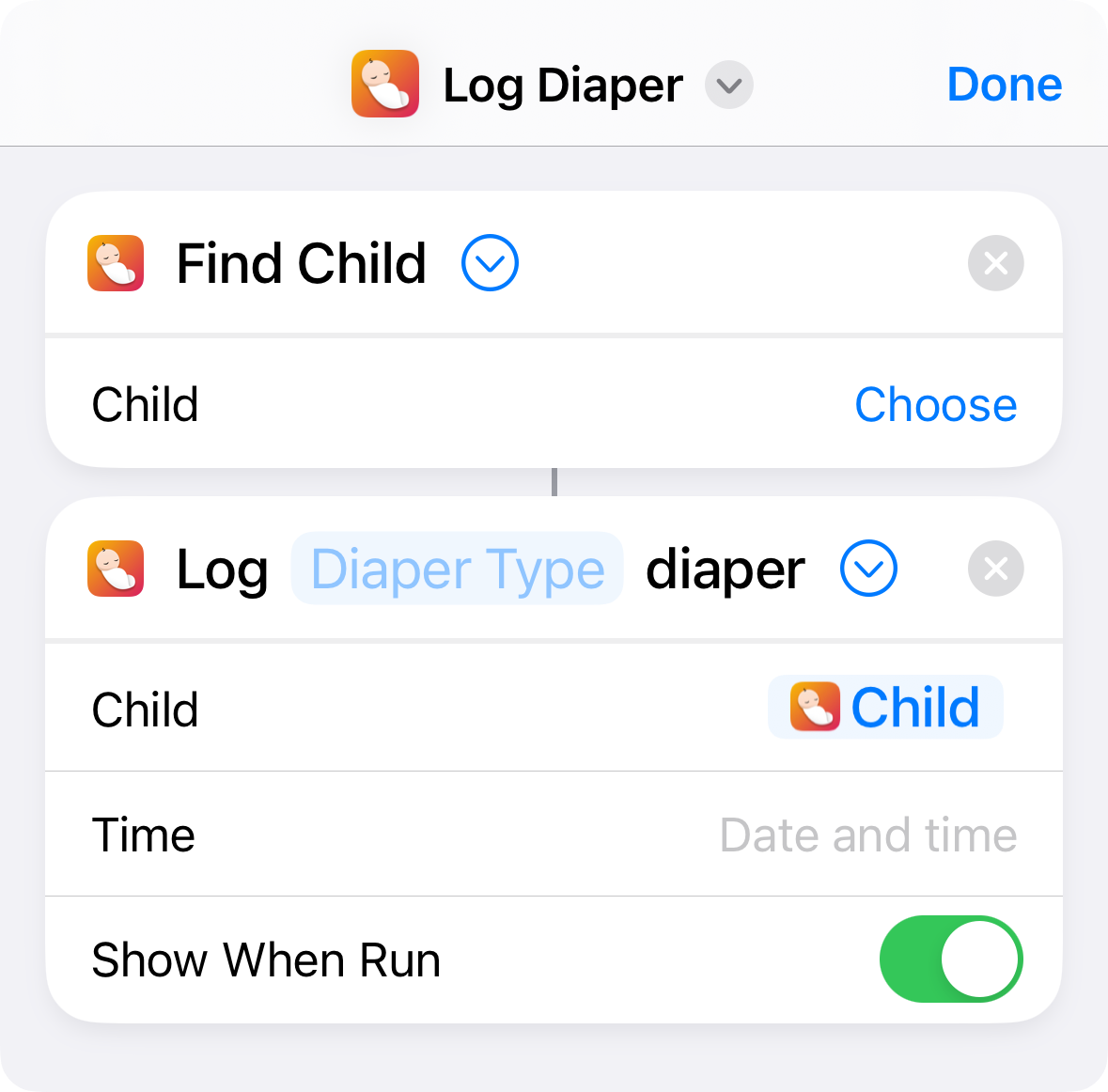
Screenshot of a Shortcut with Find Child and Log Diaper actions
How can I export Mango Baby's data using Shortcuts?
Create a shortcut with two actions:
- Add the "Export Data" action from Mango Baby.
- Add the "Save File" action to save the exported file.
The export format depends on your selection: choosing a specific log type exports a .csv file, while exporting all data exports a .zip file.
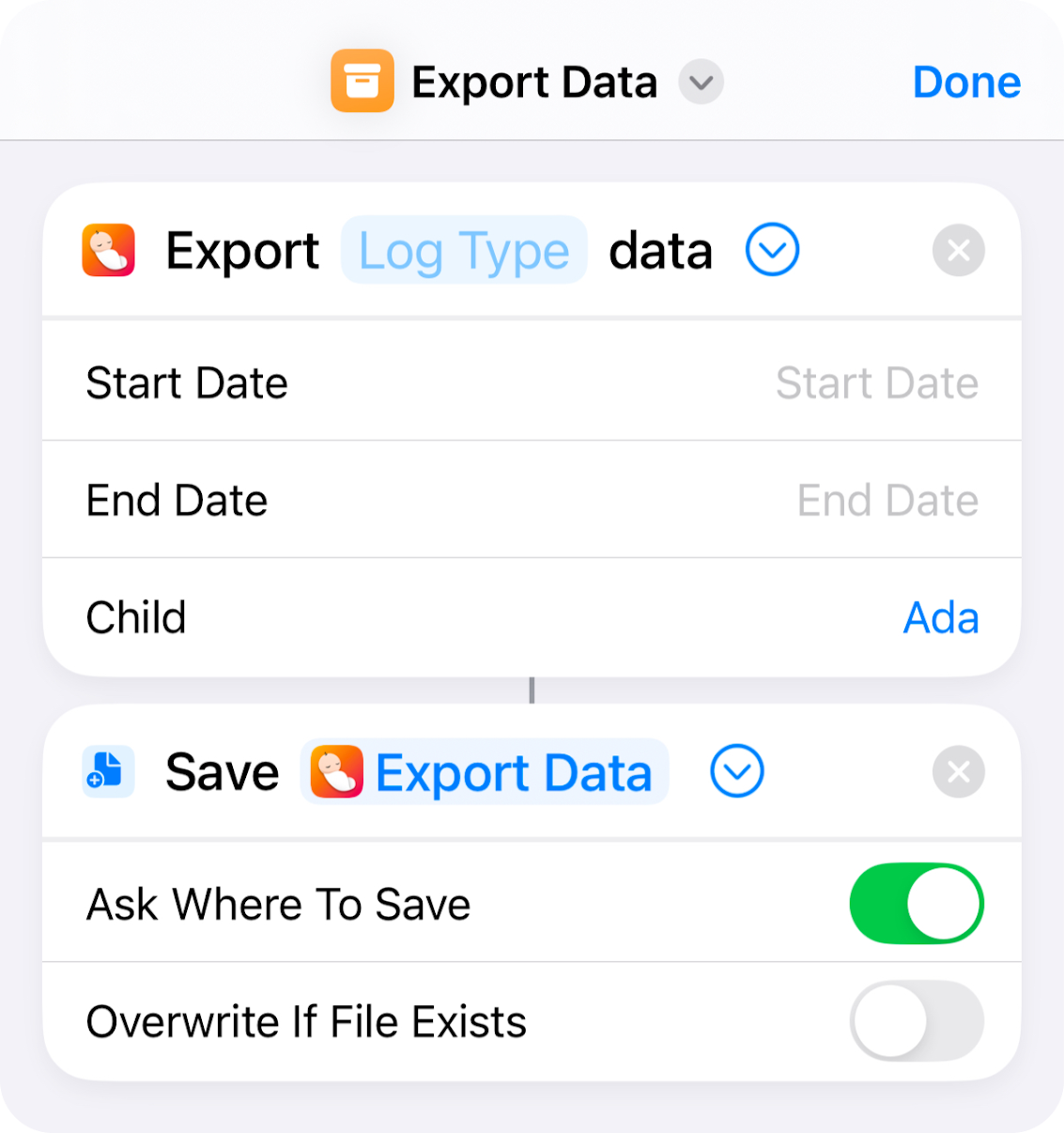
Screenshot of a Shortcut with Export Data and Save File actions
Are there any supported universal links or URL schemes?
Yes. While Shortcuts is recommended for most use cases, Mango Baby also supports universal links and URL schemes:
-
https://mangobaby.app/go/log/<activity>, where<activity>is one of the following:nursingdiapersleepingbottlepumpingmedicationtemperaturebathtummytimesolidnoteweightlengthheadcircumference
-
https://mangobaby.app/go/tab/<tab>, where<tab>is one of the following:journalchartsgrowthprofilesettings
You can also use the URL scheme mango-baby://go/ instead, e.g., mango-baby://go/log/diaper.
What data formats are supported when importing data?
See Data Import for supported formats and instructions.
More questions?
Use Settings → Support → Send Feedback in the app to email me directly, or find other ways to contact me.
Pages under Support
- Data Import ⋅ Mango Baby has an experimental feature you can use to import data (Mango Baby Premium required). It's supported with best effort.